Version 1.2 · on the Mac App Store
Snap it. Mark it up. Move on.
A fast, discreet screenshot utility for macOS. Press a key, drag a box, draw on it right where you are — then copy. Nothing is collected, nothing is sent, and every screenshot stays on the Mac you took it on.
$6.99 · one-time
No subscription, no account
- No account
- No cloud
- No telemetry
- No tracking
- No data collected
Requires a Mac with Apple silicon running macOS 15 or later.
English · Français · Español (MX) · Português (BR) · Eesti · Türkçe · Ελληνικά
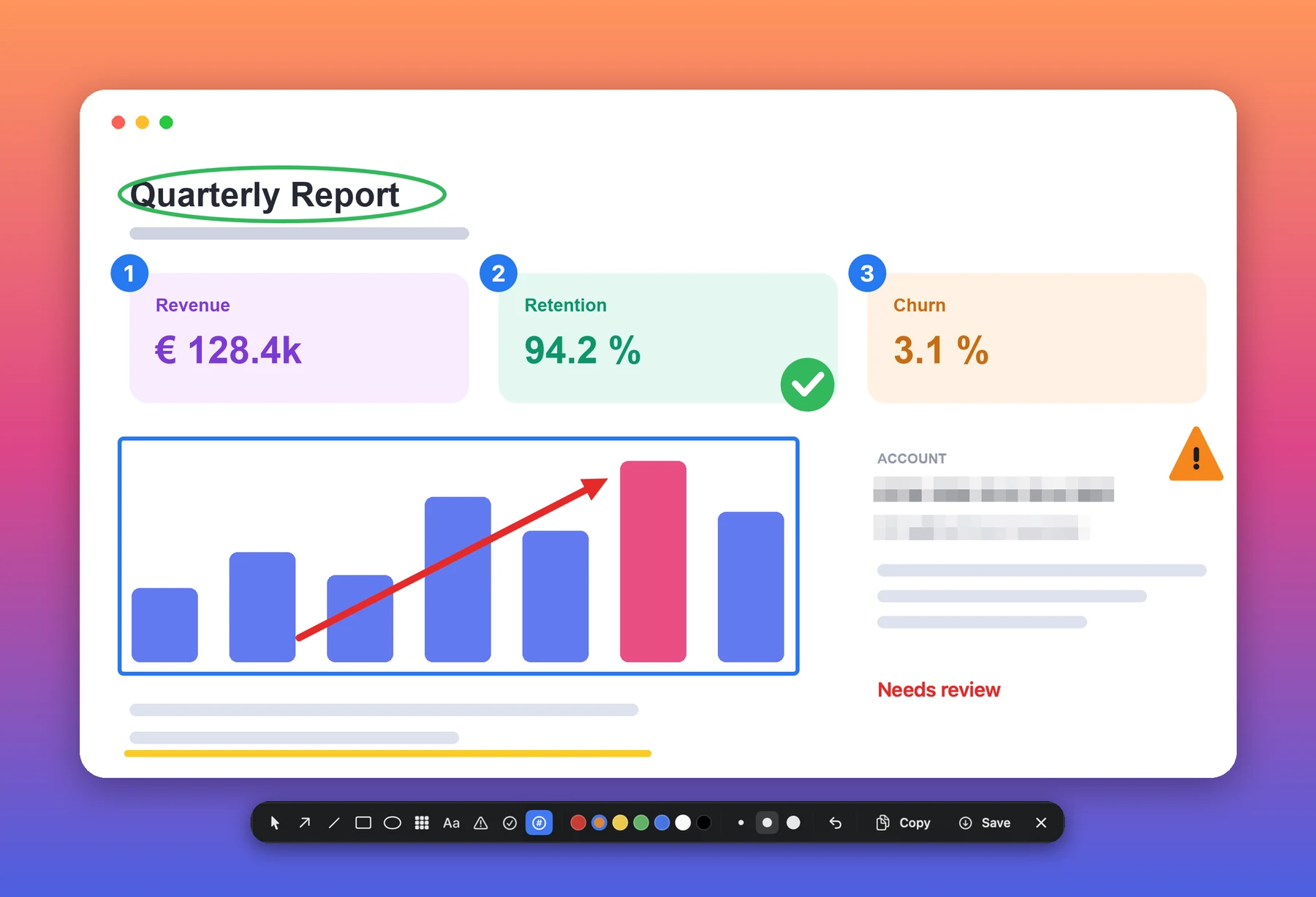
Every mark above is drawn by Kesit itself — including the redaction.
Privacy
There is no server.
That is the whole of it.
Most screenshot tools want an account. Then a sync folder, then a share link, a dashboard, a plan. Every one of those is a copy of your screen sitting on somebody else’s computer.
Kesit has none of them. No account system. No cloud storage. No share links. No analytics SDK, no crash reporter, no advertising identifier. Your screenshots go to your clipboard and to the folder you chose, and nowhere else.
- No account
- No cloud
- No telemetry
- No tracking
- No data collected
You do not have to take our word for any of that.
Kesit runs in Apple’s App Sandbox and ships without the network entitlement. macOS will not let a sandboxed app open a connection it never asked for — so this is not a promise we are making, it is a permission we declined to request. Check it on your own Mac:
codesign -d --entitlements - /Applications/Kesit.app
You will see the sandbox, and permission to write to the folder you picked. You
will not see
com.apple.security.network.client, because it is not there. An app without it cannot reach the network at all,
whatever its developer says.
A breach needs data. A subject access request needs a record. Kesit has neither, because it never collected them in the first place.
Read the full privacy policy →Four things, done properly.
Kesit does not try to be a design tool. It takes the shot, lets you mark it up where you drew it, and gets out of the way.
Capture
The whole screen, a region you drag out and adjust, or a single window picked by pointing at it. The selection stays live — move it, resize it, nudge it a pixel at a time with the arrow keys — until it frames exactly what you meant.
Annotate in place
Arrows, lines, rectangles, ellipses and text, plus warning, checkmark and numbered stamps, in seven colours and three sizes. Numbered badges count up as you place them, so a sequence of steps labels itself. No second window, no editor to open.
Cover what should not travel
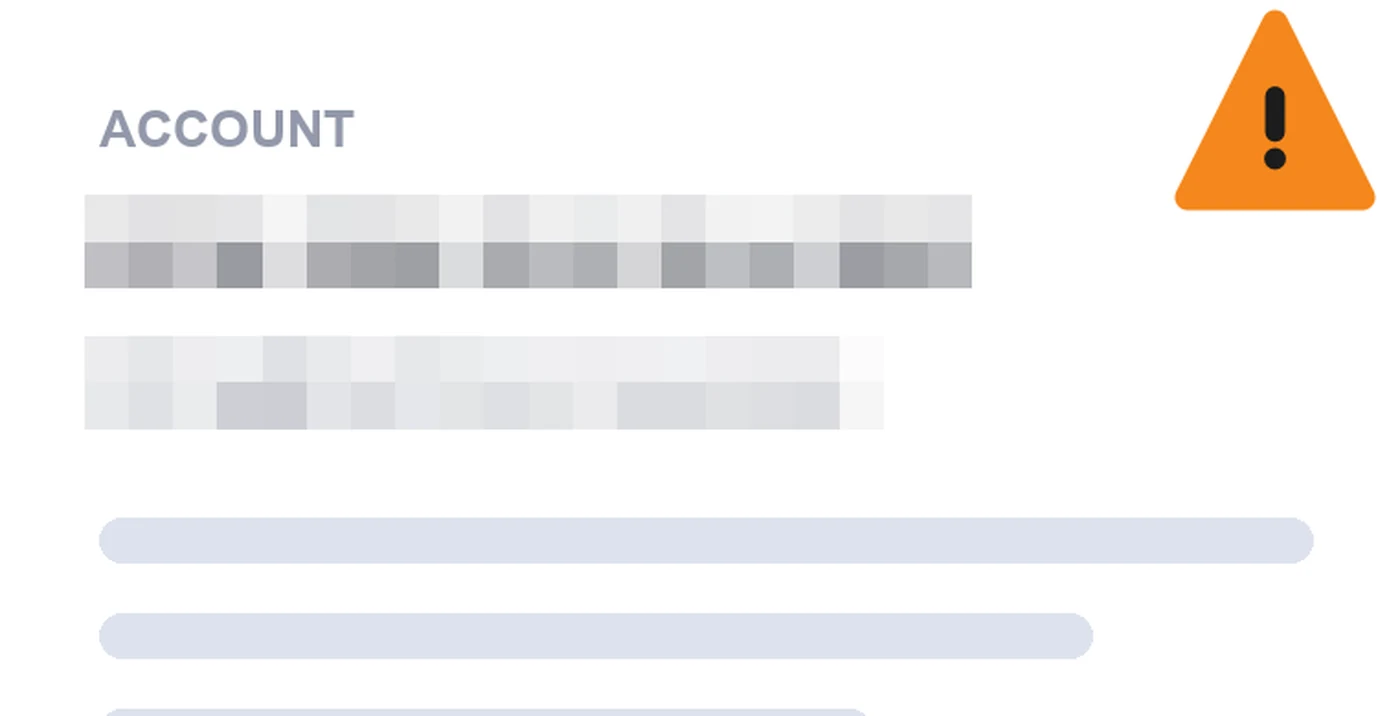
Drag a box over an address or a licence key and Pixelate replaces it with coarse blocks before the shot leaves your Mac. The blocks are deliberately large, because fine pixelation can be read back and a blur removes nothing at all.
Sized for documents
A Retina screenshot is four times the pixels of a standard one, and a document full of them gets heavy fast. Kesit captures at standard size by default and keeps full resolution one click away.
Redaction
Coarse blocks, on purpose.
Pixelate replaces an area with blocks of its own averaged colour, sized so a glyph spans less than one block and is destroyed rather than softened. A blur would spread the information out without removing it, and published work recovers text from both blurred and lightly pixelated images.
Be clear about what that buys you. It makes something unreadable, not unrecoverable. Kesit is a screenshot utility, not a security product, and it will not pretend otherwise. If a detail must never be recovered by anyone, the safe course is to frame the shot so the detail is not in it.
It lives in the menu bar.
No dock icon and no windows — just an icon in the menu bar and three global shortcuts. All three can be changed in Settings. macOS keeps ⌘⇧3 to ⌘⇧6 for its own screenshots, which is why the series skips.
Seven languages
Switchable from Settings, without touching your system language.
Take the shot.
One-time purchase. No subscription, no account, no server.
Requires a Mac with Apple silicon running macOS 15 or later.